Slide And Negative To Digital Picture Converter
Slide And Negative To Digital Picture ConverterSlide And Negative To Digital Picture Converter
By: Michael Kiely (1521)

How many of you have boxes and boxes of old slides and negatives sitting on a shelf in a closet somewhere gathering dust? It's not a lot of fun to pull out that old slide projector either and it probably doesn't even work! It's time to back up and preserve those past memories of family, friends and vacations before they are lost forever.

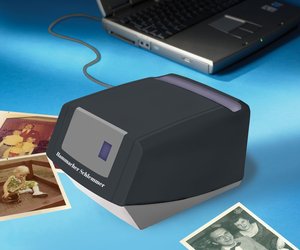
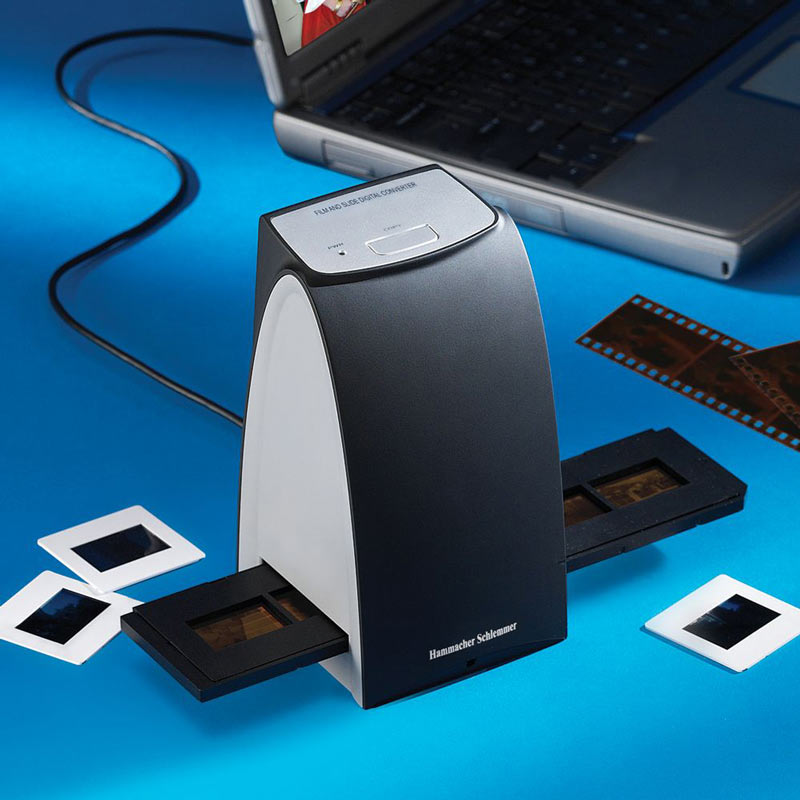
The cool new Slide And Negative To Digital Picture Converter ($100) converts your old 35mm slides and film negatives into digital images easily without having to rely on a pricey conversion service. Simply plug the USB device into your PC, place your slides or negatives onto the tray, touch the button and sit back as they are scanned and converted into professional-quality digital copies without any loss of resolution right onto your hard drive. Good news for your old photos, bad news for everyone who now has to sit through yet another slide show of the "good old days".

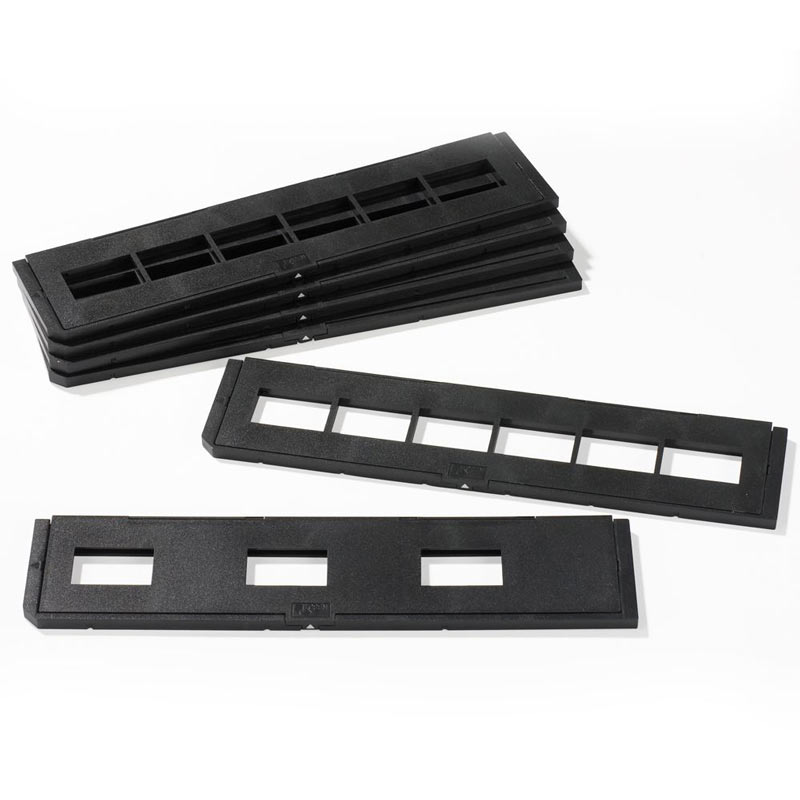
Update: This is an all-new version that is now Windows Vista compatible and requires USB 2.0. Also, if you have a lot of slides and negatives to scan there is now a package of Six Additional Trays available.  -  ( 126 Comments )

  • Easily scan old 35mm slides and film negatives into digital images
  • Included trays allow for precise positioning of slides or negatives
  • 5MP CMOS sensor with 10 bits per color channel
  • 3 white LEDs as a backlight source
  • Fixed focus and automatic exposure control and color balance
  • Clear digital images without loss of quality
  • Includes USB cable (requires USB 2.0) and software to edit, crop, and resize your slides as well as convert your negatives into positives
  • Windows XP or Vista Compatible
  • 6 1/2" H x 3 1/2" W x 3 1/2" D - 1 lbs

Page Statistics:

Ratings: 3.1/5 (23 votes)
Views Today: 0
Views Total: 58167

Link:

Copy and paste the url below:

HTML Code

Copy and paste the code below for a Blog, Website, Forum, Etc.:

More Cool Stuff Related To: PHOTOGRAPHY

  • Your Photo on Poster Size Canvas
  • Motion Tracking Web Camera
  • Digital Photo to CD Recorder
  • Aqua Eye - Miniature Underwater Video Camera
  • Celestron LCD Digital Microscope and Digital Camera
  • Photograph To Digital Picture Converter
  • Canvas Painting From a Photograph
  • Personalized Woven Photographic Image Throw
  • Authentic Boardwalk Photo Booth
  • PhotoTrackr Pro - Geotag Your Photos

Comments (126)

John
Great find. Thank you. I have so many slides that need to be converted, this will be a perfect solution.
By John - 1 Year Ago
Heather
How long does it take to scan one slide?
By Heather - 1 Year Ago
Guest
Thank you so much, I've been looking for something like this for years!
By Guest - 1 Year Ago
Dick
Pls. answer the 2nd question. How long?
By Dick - 1 Year Ago
John
According to the description on the hammacher site:
"...the touch of a button scans the image instantly".

must be fairly quick
By John - 1 Year Ago
Dave
I'm interested in getting this, but according to the hammacher site it won't be available until Oct 5th! I wonder if it is available from another vendor. From the photos, I can't tell who the manufacturer is.
By Dave - 1 Year Ago
Jim
Although the editing software only works with Windows XP, I'd like to know if the scanner/converter can be used by a Mac to scan the pictures in. I don't need the editing software - but this would be a godsend if the basic unit worked with a Mac just to get the pictures in. Do you know who makes this product so I might be able to contact them with usage questions on the Mac? Do they come in a .jpeg - does anybody know? Thanks a million if anyone knows the answers to my questions.
By Jim - 1 Year Ago
Guest
The device looks and sounds good. What bugs me is that Hammacher Schlemmer want to charge $16.95 on top of shipping for "Shipping & Service" What's that? Oh. I should write to Hammacher Schlemmer?
By Guest - 1 Year Ago
John
I need the question answered also as to use with a Mac.
By John - 1 Year Ago
Guest
The software is windows only and the software probably controls the scanner, so it probably won't work right on a mac. Hammacher has a lifetime guarantee on it's products, so you could always return it.
By Guest - 1 Year Ago
Guest
The $16.95 is the total cost for shipping and handling, not an additional charge.
By Guest - 1 Year Ago
Guest
Found a free shipping code in today's paper for this product: Code 500244.
Thinking of taking the leap myself although no one's tested this thing out yet.
By Guest - 1 Year Ago
Guest Roger Jarvela
Does it work with microsoft VISTA ?
By Guest Roger Jarvela - 1 Year Ago
Don
Looks good. Can images be burned to a CD or DVD after downloading to hard drive and editing?
By Don - 1 Year Ago
Bud
Once the images are on the hard drive you can edit, print, etc. - that is a function of the whatever software you use for handling photos on you PC.
By Bud - 1 Year Ago
Guest
Could you please answer as to whether the images can be burned to a CD or DVD. I am new to all of this technology, but have 100\'s of slides I would like to deal with!
By Guest - 1 Year Ago
Guest
I would like to know how many slides you can put in the tray at a time. I need to be able to set a nights worth press the button and go to bed -
By Guest - 1 Year Ago
Guest
This is for two commenters up... after you scan the slides to your computer, they will be in a format that you will most definitely be able to burn onto a cd, DVD, memory card, etc.
By Guest - 1 Year Ago
Guest
What is the size of the output after scanning a slide?
By Guest - 1 Year Ago
Guest
When I scan the slide and view it on the computer screen, will it be a full screen or the size of the original slide?
By Guest - 1 Year Ago
Guest
I too want to know if this item will work with Windows Vista? Or if not, is there one out there somewhere that can?
By Guest - 1 Year Ago
Guest
It does not work with Vista, only XP
By Guest - 1 Year Ago
Guest
It takes about 5 seconds from the time the button is pressed for the slide to be transferred
By Guest - 1 Year Ago
Guest
isn't there a way with windows vista to set it to basically work as xp for specific programs? Something like right click on program name, select properties, compatability and then select administrator or something like that. I'm sure there will be an updated driver that lets it work fully with vista soon enough.
By Guest - 1 Year Ago
Richard
Is there an automatic slide feeder that either comes with this or that is available elsewhere?? I have hundreds of slides in need of conversion. One slide at a time, at best, would be tedious!!
By Richard - 1 Year Ago
◄ BACK 12345 . . . 56NEXT ►

Add New Comment

Full Name:
Valid Email:
Required - Not Shown
URL:
Optional - Plug Your Site
Profile Image:
Gravatar.com
Click the link to sign up your email address with Gravatar.com and your image will automatically be added to your comment. Try it, it's cool.
Your Comment:
Comments that are irrelevant, inappropriate, purely promotional, vulgar, insensitive, SPAM, SEO tricks or all CAPS will be removed at our discretion!
Characters Remaining...

Security Code